How it works
Three steps. One of them is waiting for a teenager to answer, and we can’t fix that one.
Real app screens with a fictional family. The flow is the flow.
Connect the sitters you know.
Add a sitter by phone number. They get a text, reply YES, and join through the free Night Off for Sitters app. Add your partner too, so either of you can run the plan.
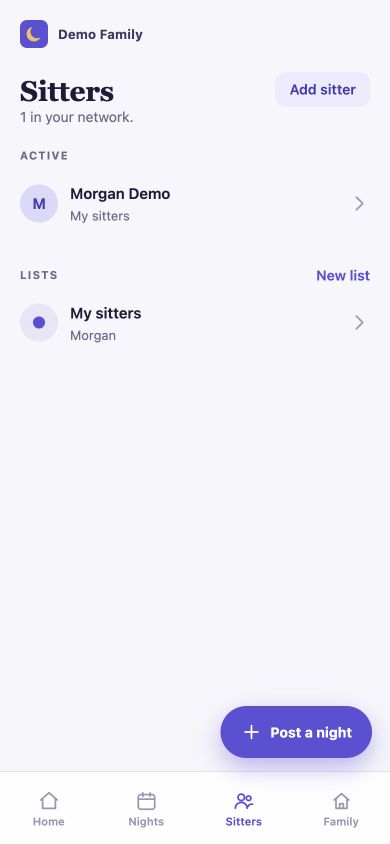
Your sitters, with lists if you want them. 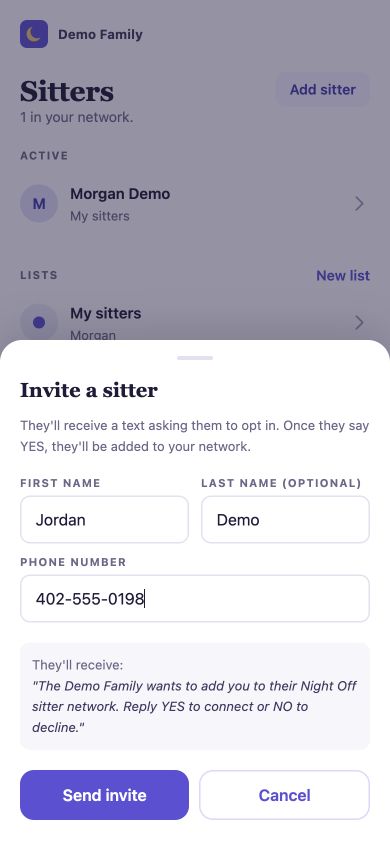
The invite shows the exact text they’ll get. Ask for a night.
See when a sitter has posted that they’re free, pick the window you need, and send the request. It goes to that sitter and nobody else.
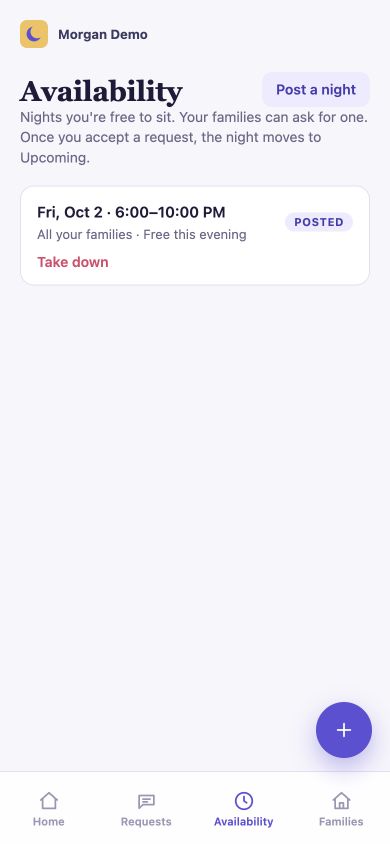
A sitter posts a night they’re free. 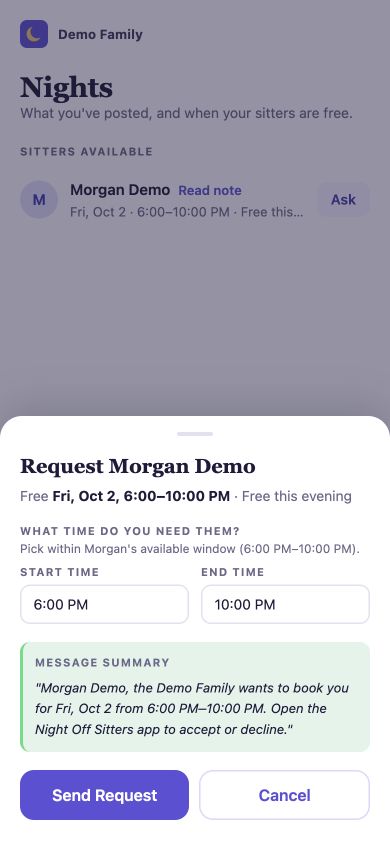
You pick the window and send it. Get a real answer.
Your sitter accepts or declines in the app. Once they accept, the confirmed night shows up on both home screens with the same details.
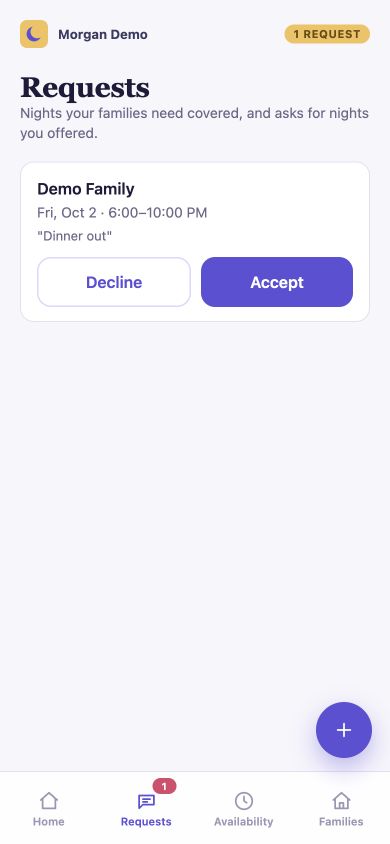
One tap to accept or decline. 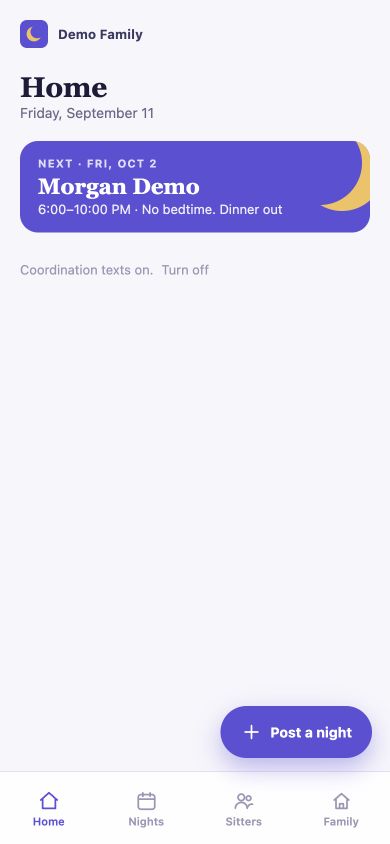
Confirmed, on both calendars.
A request isn’t a booking. Pending means you’re waiting. Confirmed means your sitter accepted and the night is on both calendars.
Questions
Requests, answers and what counts.
- Does shared availability mean the night is booked?
- No. Shared availability tells connected families when a sitter is free. A family still needs to request the time, and the sitter needs to accept. Check for the confirmed booking before counting the night as covered.
- How does a sitter accept an availability request?
- Open the request in Night Off for Sitters and accept it in the app. Once accepted, the booking appears in both the family and sitter apps. If the request was already handled, refresh and check its current status.
- When does replying YES by text apply?
- YES applies to a posted job sent to eligible, opted-in sitters on a family’s selected list. The first eligible reply claims that job. A request made from a sitter’s shared availability is accepted in the sitter app. Always check the resulting booking status.
- What if nobody accepts?
- A request does not guarantee care. Check its current status and contact your sitters directly if you need an answer quickly. Do not assume the night is covered until the booking is confirmed.
Try it with the sitters you already have.
Both apps are on Google Play now. On iPhone? Join the waitlist and we’ll tell you the moment they’re on the App Store.