For parents
Either parent can run it.
Send the request, see the answer, take the credit. It works the same whichever parent is holding the phone, so the sitter search stops being one person’s side job.
What you get
Less texting. Same sitters.
Night Off doesn’t find sitters. It just makes yours easier to book.
Your sitters, your lists.
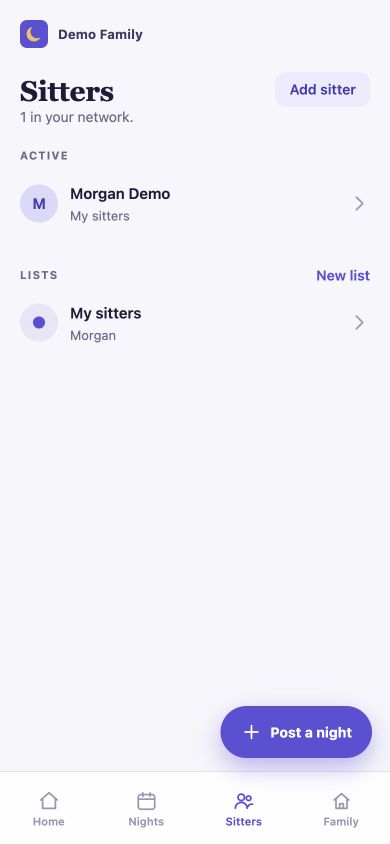
Keep them all in one place. Group them if it helps: weeknights, bedtime-approved, the one who lives around the corner.
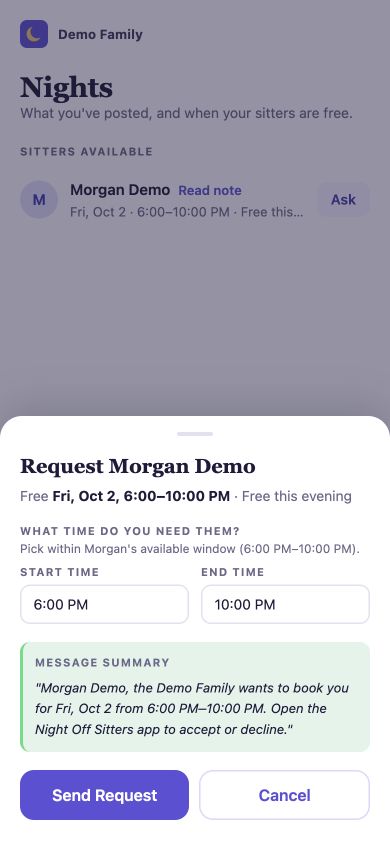
Ask one sitter, or post to a list.
Request a night from a sitter’s posted availability, or post a night to a list. Opted-in sitters on that list get a text, and the first to reply YES has it.
Know when it’s real.
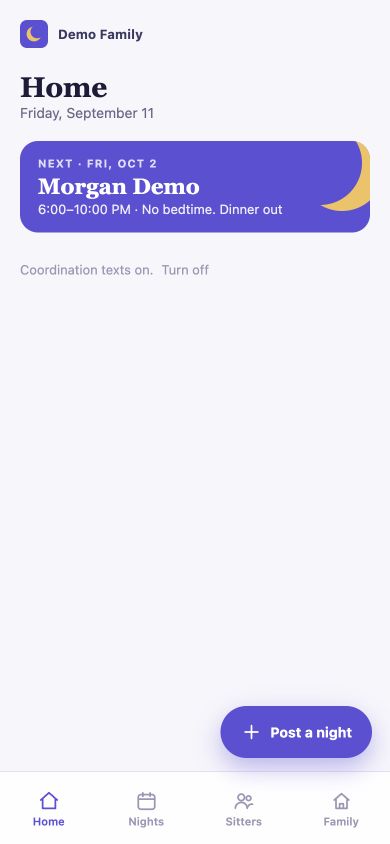
Pending means waiting. Confirmed means confirmed. No reading tea leaves in a text thread.
Texts for the essentials only.
The app can text the request, the answer and a cancellation. You can turn coordination texts off any time.
A request isn’t a booking. Pending means you’re waiting. Confirmed means your sitter accepted and the night is on both calendars.
Questions
Getting set up.
- How do I get started as a parent?
- Use Night Off for Parents and sign in with your phone number and verification code. Set up your family, then invite the sitters you already know. If someone invited you to their family, sign in with the phone number they invited. Never share your verification code.
- How do I add my partner to our family?
- Open Family in the Parents app and invite your partner using their phone number. They should sign in with that same number to join. An invitation being saved does not mean its text was delivered. Check the invitation status if they have not received it.
- My partner did not receive the invitation text. What now?
- Check the phone number in Family and ask your partner whether the text arrived. If delivery is unconfirmed, check with them before resending. The family invitation has a five-minute wait between attempts; use Resend text when it becomes available. If it still fails, get help before creating more invitations.
- My sitter or family invitation is pending. Should I add it again?
- Check the existing invitation first. For a pending sitter or sitter-to-family invitation, use its Resend option instead of adding the same person again. A saved invitation and a delivered text are different things.
Your next night off starts with a list you already have.
Night Off for Parents is on Google Play now. On iPhone? Join the waitlist and we’ll tell you the moment it’s on the App Store.